YGO Carder Alternative for Custom Cards
A separate, free browser editor for making Yu-Gi-Oh! cards quickly: search official cards, add your art, fit the text automatically, then download or print.
1626 × 2370 px. Drag the picture to move it.
A simpler route from an idea to a finished card.
- Start from an official card
- Search YGOPRODeck’s database by name. The card’s real text, stats and artwork load into the editor, ready for you to change.
- No font or layer setup
- Pick a frame, add a picture and type. The name and effect text fit themselves, and the preview redraws as you work.
- PNG or a print sheet
- Download a 1626 × 2370 pixel PNG, or save cards and put nine on a true-size Letter or A4 PDF with cut marks.
- Your pictures stay local
- Upload, paste or drop in artwork without sending it to our server. Your saved cards stay in this browser, with no account.
YGO Carder vs this card maker
If you meant to find lauqerm’s original tool, open the official YGO Carder. This site is a separate, fan-made alternative, not an official mirror, update or successor. The official YGO Carder repository is the place for its source code and documentation.
YGO Carder is the more configurable editor. This site focuses on a shorter route to a custom English card, with official-card lookup and printing built into the same browser workflow.
| This card maker | Official YGO Carder | |
|---|---|---|
| Editing | A compact English form with automatic name and effect fitting | Four interface languages, with detailed name, foil and finish controls |
| Frames | Standard monsters, Pendulum, Spell, Trap, Token, Dark Synchro, Egyptian Gods and an anime style | Standard frames plus specialty options including Zarc, Speed Skill, Raviel, Uria and Hamon |
| Starting points | Official-card name search, original samples, and random real or made-up cards | Samples, presets and a card manager |
| Output and storage | High-resolution PNG, browser saves and a nine-card print PDF | Image download, card-data import/export and a card manager |
This is a feature comparison, not a claim that one editor wins at everything. Choose the one that has the frame and workflow your card needs.
When this alternative is a good fit
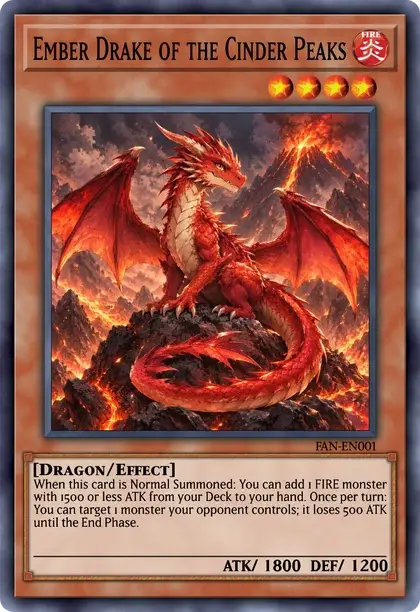
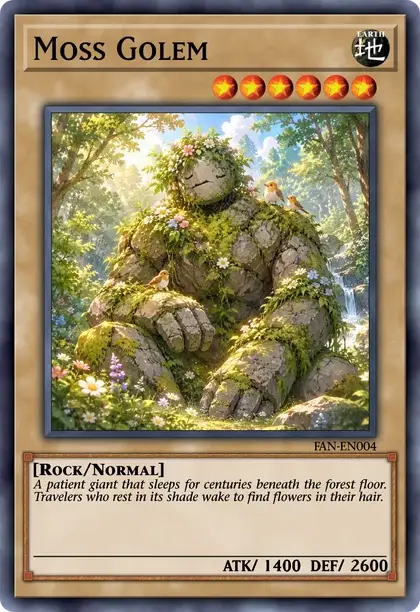
Use the editor above when you want to make a card without setting up fonts and layers. The example is already filled in, so you can replace its name, picture and text rather than face a blank form.
- Search for a real card, keep its artwork and stats, then rewrite the effect or try another frame.
- Switch Style to Anime when you want the picture to fill the card and only the stars, attribute and ATK/DEF underneath.
- Save the cards you want, then use the print sheet to put up to nine on a Letter or A4 PDF at exactly 59 × 86 mm per card.
If you need a starting idea instead of a specific real card, the random card generator draws 1, 5 or 10 official cards, with Monster, Spell and Trap filters, or invents a custom card.
When to choose the official YGO Carder
Choose YGO Carder when you need Simplified Chinese, Japanese or Vietnamese alongside English, want to switch between OCG and TCG formats, or need its extra specialty frames. Its custom name colors, shadows, outlines, gradients and foil controls are also useful when you want to tune the artwork rather than accept our smaller set of rarity treatments.
Our printed-card frame templates and some layout measurements come from YGO Carder, with the template artists and lauqerm credited on the about page. The live editor, official-card tools, anime layout and print sheet are built separately.
Questions
Something else? Email hello@yugiohcardmaker.co.
Read next
All guides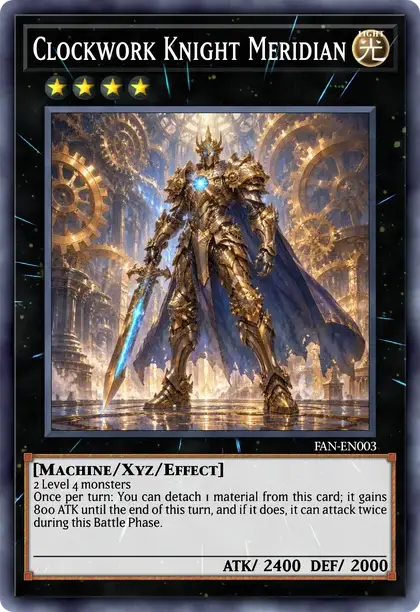
- Yu-Gi-Oh! card makerDesign a card from scratch on any frame.
- Blank card templatesDownload empty frames with a transparent picture window.
- Random card generatorDraw a real card or roll a made-up one.
- Custom cards to printSizes, paper and a nine-card print sheet.
- Token makerMake Tokens with your own picture and print a sheet.
- Proxy makerFind real cards by name and print nine to a sheet at true size.
- Anime card makerCards as the TV series draws them: all picture, stars and ATK/DEF.
- Egyptian God card makerThe blue, red and yellow God frames with your own picture.
- Meme makerPaste a picture onto a Trap card and type the joke.
- Deck builderBuild a deck from every official card and save it as .ydk.
- Pack simulatorOpen packs from 240 real sets and see what you pull.
- Card price checkerLook up what a card sells for, printing by printing.
- Archetype listEvery archetype from A to Z, with its cards.